Room acoustics
Study reverberation and speech intelligibility in halls and see how sound travels down corridors and around corners.
Room and environmental acoustics
Hear a hall during the design phase and compare sound levels at a neighbouring window with and without a barrier. CeraWave Studio also models how sound propagates around building corners and over obstacles.
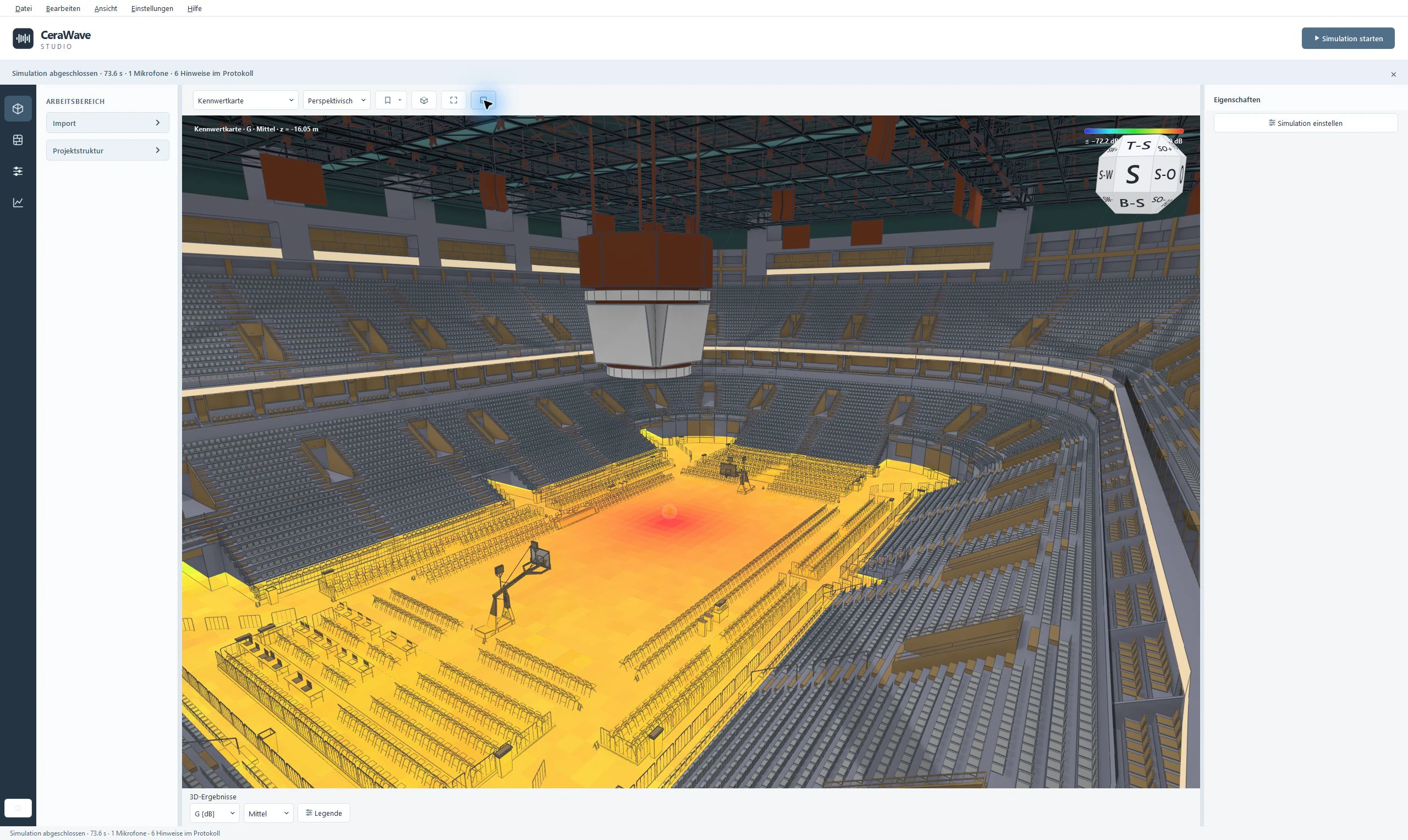
Study reverberation and speech intelligibility in halls and see how sound travels down corridors and around corners.
How loud is a heat pump at a neighbouring window? Use the unit’s sound power to compare installation locations and barriers.
Model vehicles as moving sound sources and track their levels at windows and balconies.
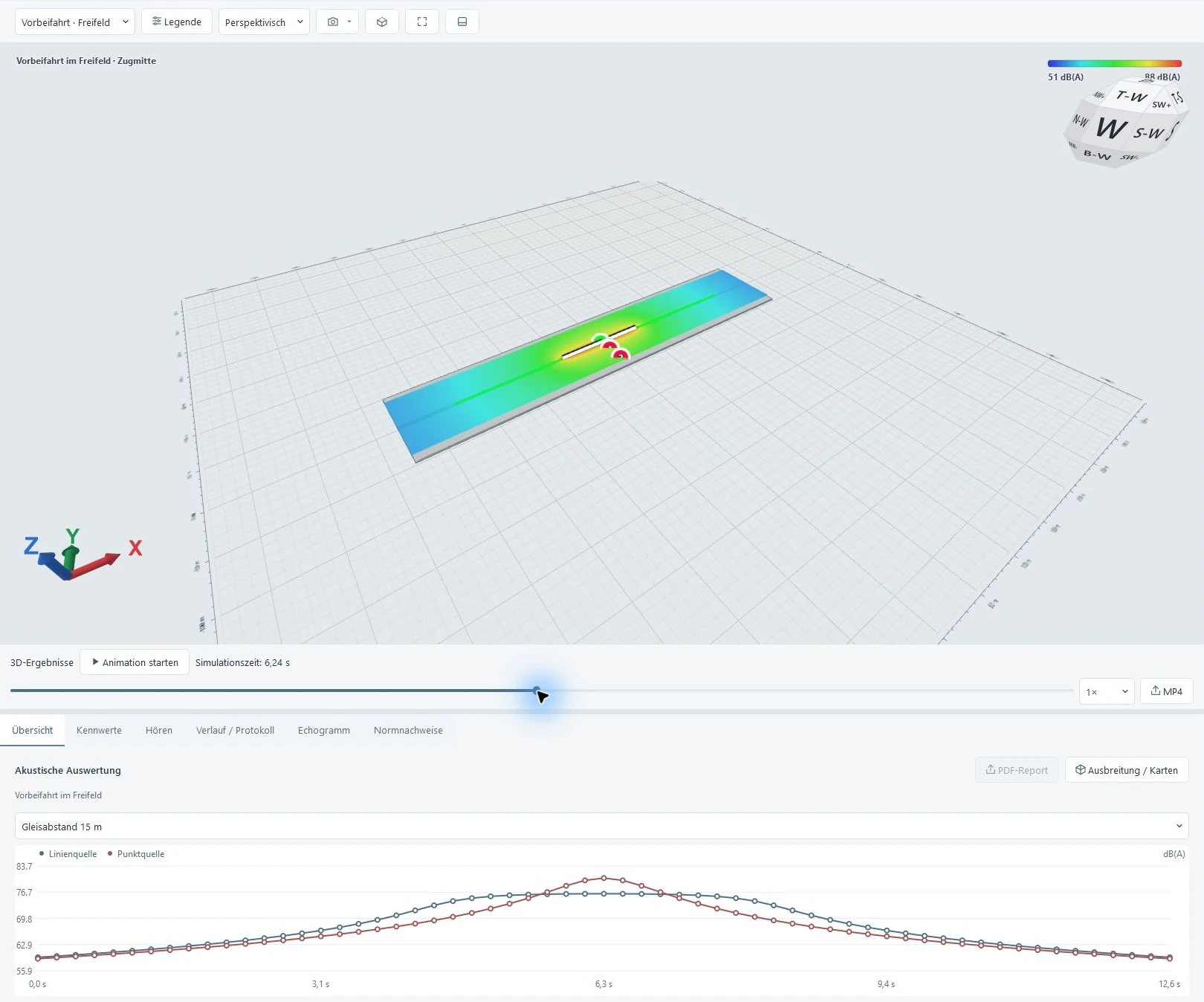
Track sound levels during a train pass-by and compare point and line sources in a free field.
Play back pass-bys on a timeline and track the calculated sound levels on a consistent colour scale.
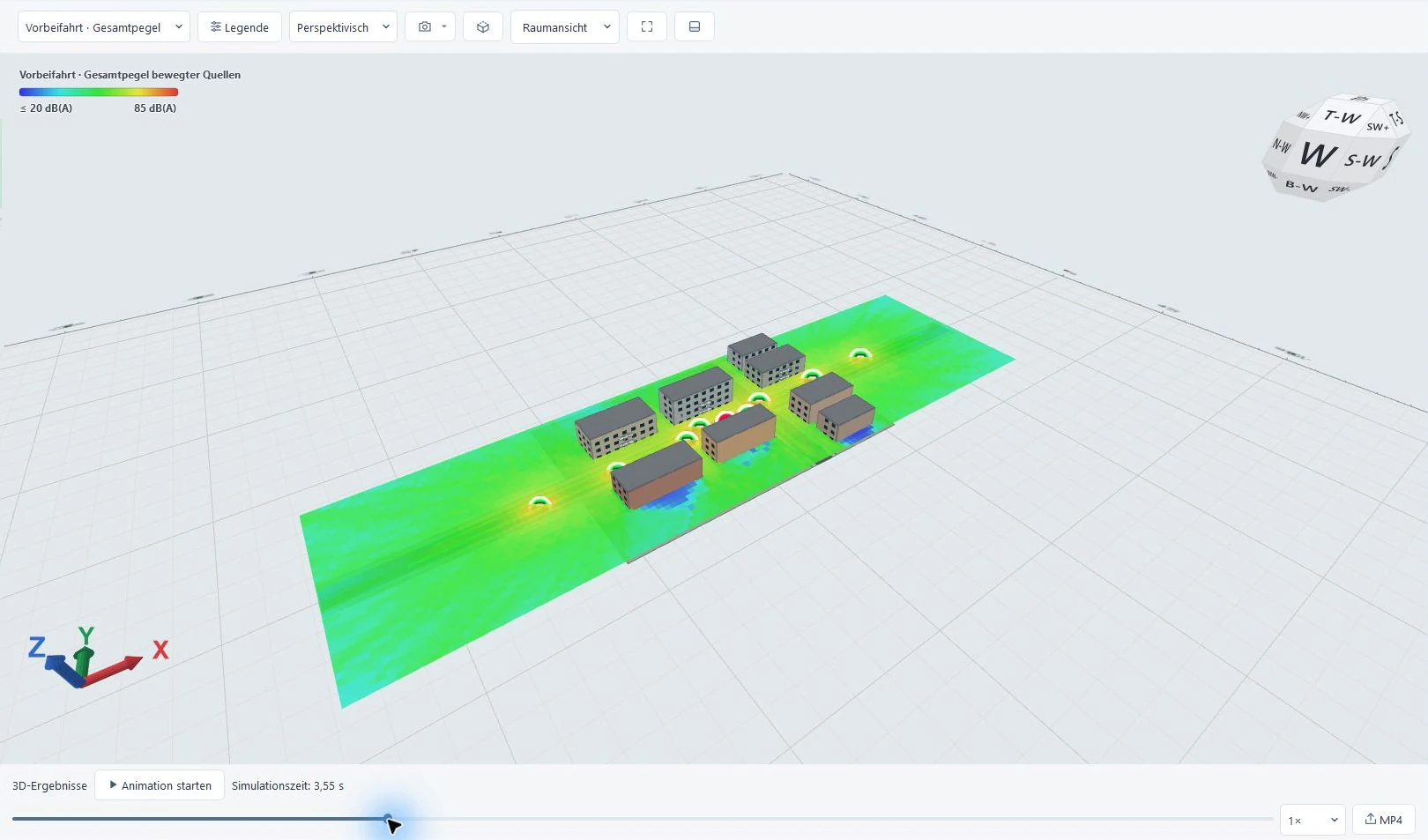
Eight vehicles follow separate routes. The combined level map shows how their contributions add up. The scene has four receiver positions at windows and on a balcony.
Open screenshotA 100 m train passes at 100 km/h. The analysis compares how the levels change over time for a point source and a line source with the same total A-weighted sound power.
Open screenshotInside CeraWave Studio
Build a room model, trace sound through it in 3D and listen to the result at a selected receiver position.
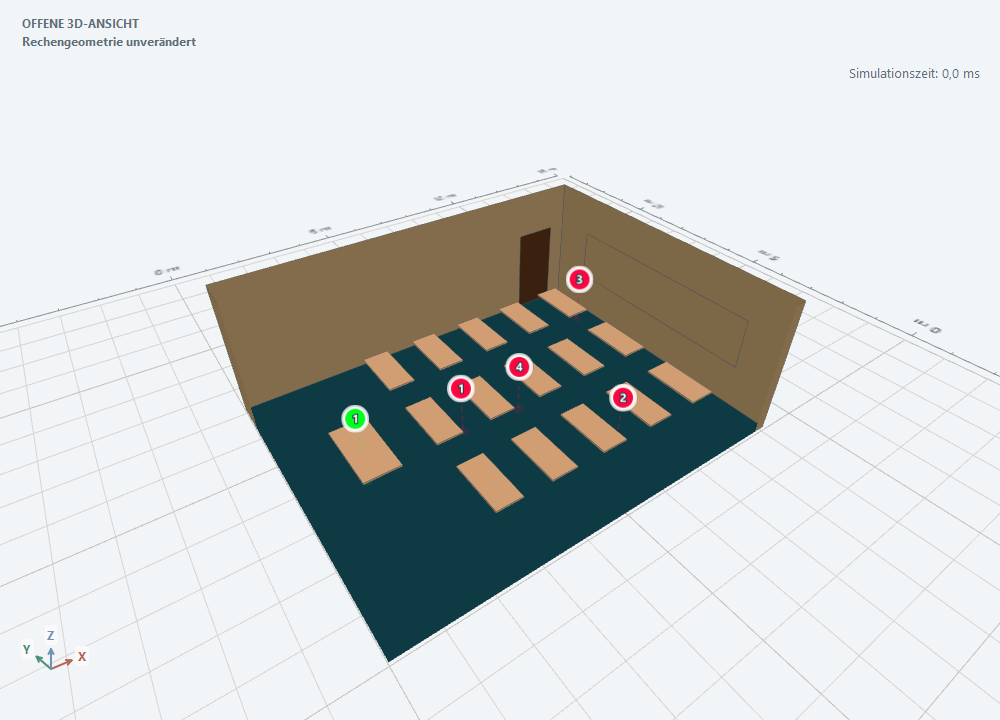
Scale a PDF or CAD floor plan and use it to build the room. Import closed outlines from vector drawings and place doors and windows directly in the walls.
You can also import existing 3D models in formats such as IFC, STEP and glTF.
Import buildings from CityGML or OpenStreetMap and analyse individual façades.
Set up viewpoints along a camera path and export a fly-through or animated results as MP4.
Bundle models, audio and simulation results in a portable .cera file.
Hybrid acoustic solver
Sound can diffract around an edge when the line of sight is blocked. CeraWave models edge diffraction alongside direct and reflected rays. At low frequencies, the finite element method (FEM) solves the wave equation to capture constructive and destructive interference.
Room modes and interference
Reflections, edge diffraction and reverberation
Fluid–structure coupling accounts for vibrating plates and layered wall assemblies when mechanical material properties are available.
Draw a path for a source. Auralization models travel time, level and Doppler shift for the direct sound. Room responses are crossfaded along the path.
Standards assessment
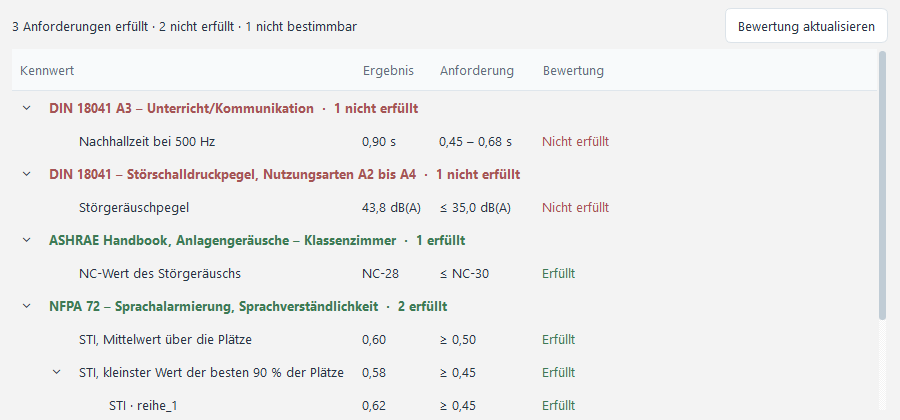
See which requirements your design meets and which inputs are missing. Depending on the use, assess reverberation time against DIN 18041 or evaluate speech intelligibility and announcement levels for voice alarms.
Change target values or background noise levels to reassess existing simulation results. Share the results, requirements and assessment in a PDF report.
Installation packages for Windows, macOS and Linux.
CeraWave calculates sound propagation from the sources and surfaces in the model, such as façades and noise barriers. Weather and ground effects require separate consideration. A formal traffic-noise assessment requires the applicable calculation method.
Use PDF, DWG or DXF files as drawing references. Supported 3D formats include IFC, STEP, OBJ, STL and glTF/GLB. Additional formats, including Revit and Rhino, depend on the installed import readers.
Simulations can run on the CPU. A CUDA-enabled build and compatible NVIDIA GPU can accelerate supported computations.
Export PDF reports, MP3 or WAV audio, and selected 3D views as MP4. Impulse responses, JSON and VTK files are available for further analysis. A portable .cera file bundles the project with its models, audio and results.